PhotoSheet Pro
Print Multiple Photos on One A4 Page
Fit your photos onto one A4 sheet and prepare them for printing.
Upload photos, choose their print size, arrange them automatically, and export a print-ready PDF. No Photoshop required.
How do I print multiple photos on one A4 page?
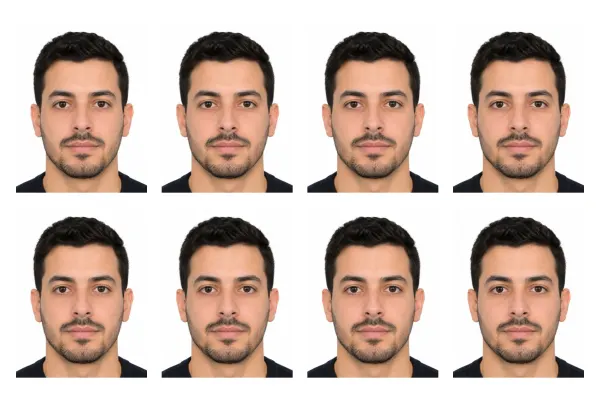
Upload your photos, choose A4 paper and each photo’s print size, let PhotoSheet Pro arrange them on one sheet, then export a print-ready PDF and print at 100% / Actual Size. How many fit depends on the photo size, margins, and gaps — not a fixed collage grid.
Free to try · No account required · Photos stay on your device
Quick facts
- Millimetres
- 210 × 297 mm (A4 sheet)
- Centimetres
- 21 × 29.7 cm
- Inches
- 8.27 × 11.69 in
- Aspect ratio
- ISO A4
How many fit on a sheet
- True-size 10×15 cmUp to ~2
- True-size 4×6 inUp to ~2
- 4 Photos / A4 (scaled 2:3)4
- Passport / walletMany
Important when printing
Select Actual Size / 100% in your printer dialog. Do not select “Fit to Page” or “Scale to Fit” — that changes the physical size.
Print settings checklist
- Export a PDF from PhotoSheet Pro at the paper size you will load.
- In the print dialog choose Actual Size or 100% scale.
- Turn off Fit to Page, Scale to Fit, and “shrink to printable area”.
- Select the matching paper size in the printer tray settings.
- If using borderless, expect slight overscan crop — add a small margin if edges matter.
How to print multiple photos on one A4 page
1) Open the editor. 2) Set paper to A4 (210 × 297 mm). 3) Pick a layout or fixed photo size. 4) Place your images. 5) Export a PDF. 6) Print at 100% / Actual Size — not Fit to Page.
Exact dimensions that matter
A4 = 210 × 297 mm. Common photo sizes: 10×15 cm = 100 × 150 mm; 4×6 in = 101.6 × 152.4 mm; passport sizes such as 35 × 45 mm. The layout engine packs only what physically fits given your margins and gaps.
Choose your photo size
Use 10×15 cm, 4×6 in, wallet sizes, passport IDs, or custom millimetres. For four photos that keep a 2:3 look, use “4 Photos / A4” (scaled slots — not four true 10×15 cm prints).
Print at 100% / Actual Size
PhotoSheet Pro builds the PDF at real page dimensions. In your printer dialog choose Actual Size or 100%. Fit to Page, Scale to Fit, or “shrink to printable area” will change the physical size.
Common problems (and fixes)
Printer cropping: turn off aggressive borderless overscan or add a small margin. Wrong size: confirm paper is A4 and scale is 100%. Soft edges cut off: prefer Fit over Fill when edges matter. Use optional cut marks for clean trimming.
Frequently asked questions
- How do I print multiple photos on one A4 page?
- Use PhotoSheet Pro: upload photos, select A4, choose sizes, arrange, export PDF, print at 100%.
- How many photos fit on an A4 sheet?
- It depends on each photo’s physical size, orientation, margins, and gaps. For true-size 10×15 cm prints, typically up to two fit on A4.
- Can I print different photos on the same A4 page?
- Yes. Place different images in each slot, or use fill-sheet to repeat one photo for cutting.
- Can I choose the exact photo size?
- Yes — centimetres, millimetres, inches, and passport presets.
- How do I prevent my printer from resizing my photos?
- Print the PDF at 100% / Actual Size. Turn off Fit to Page / Scale to Fit.
- Should I print the PDF at 100% or Actual Size?
- Yes — that preserves the millimetre sizes defined in the layout.
- Can I use PhotoSheet Pro with an HP, Canon, Epson or Brother printer?
- Yes. Any home printer that can print A4 (or your chosen paper) works with a standard PDF.
Related
Free to try · No account required · Photos stay on your device