PhotoSheet Pro
Print 10×15 cm Photos on A4
Prepare 10×15 cm photos for printing on A4 paper.
Upload your photos, arrange them on an A4 sheet at true size, and download a print-ready PDF designed for 100% scale.
Can I print 10×15 cm photos on A4?
Yes. A4 is 210 × 297 mm and a 10×15 cm photo is 100 × 150 mm. At true size, typically up to two 10×15 cm photos fit on one A4 sheet, depending on orientation, margins, and gaps. PhotoSheet Pro creates a print-ready PDF for 100% / Actual Size printing.
Free to try · No account required · Photos stay on your device
Quick facts
- Millimetres
- 100 × 150 mm (photo) on 210 × 297 mm (A4)
- Centimetres
- 10 × 15 cm on 21 × 29.7 cm
- Inches
- 3.94 × 5.91 in on 8.27 × 11.69 in
- Aspect ratio
- 2:3 photo
- Pixels at 300 DPI
- 1181 × 1772 px per photo
How many fit on a sheet
- A4 true-size 10×15Up to ~2
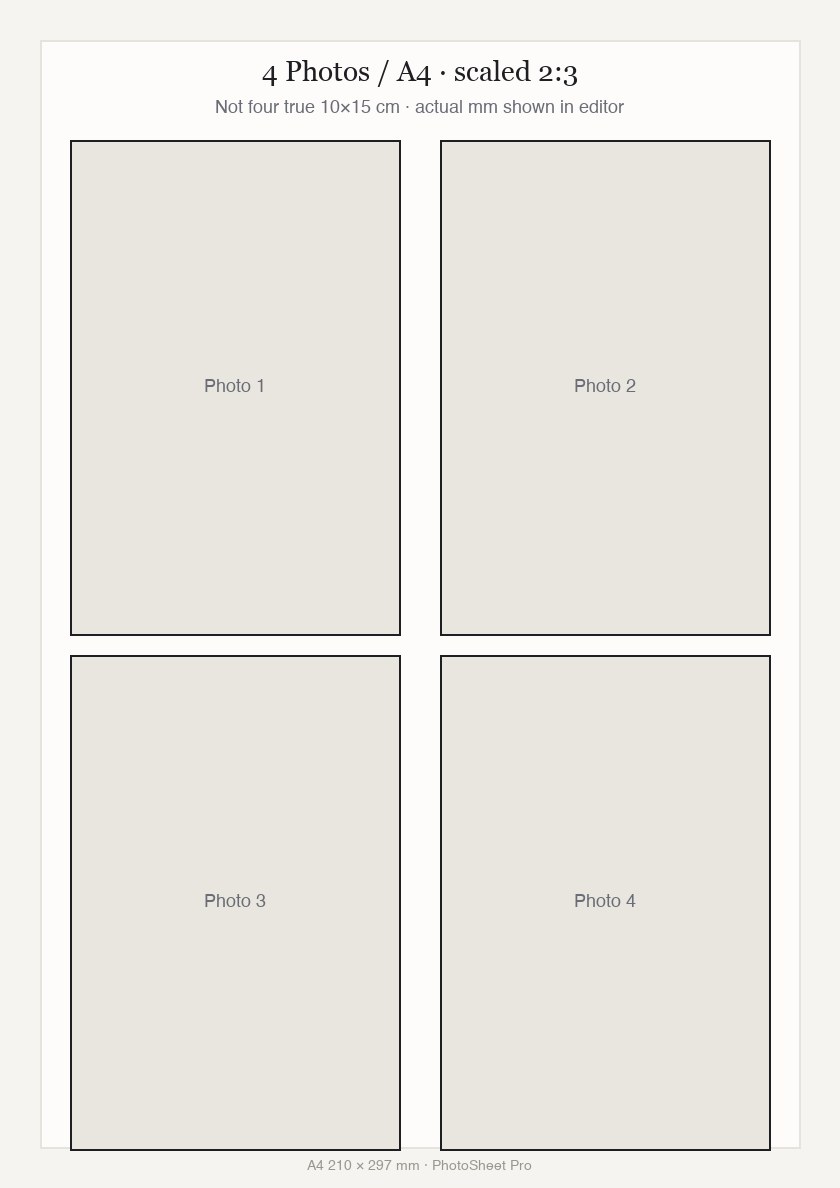
- 4 Photos / A4 scaled 2:34 — Not four true 10×15 prints.
Important when printing
Select Actual Size / 100% in your printer dialog. Do not select “Fit to Page” or “Scale to Fit” — that changes the physical size.
Print settings checklist
- Export a PDF from PhotoSheet Pro at the paper size you will load.
- In the print dialog choose Actual Size or 100% scale.
- Turn off Fit to Page, Scale to Fit, and “shrink to printable area”.
- Select the matching paper size in the printer tray settings.
- If using borderless, expect slight overscan crop — add a small margin if edges matter.
How many 10×15 cm photos fit on A4?
A4 = 210 × 297 mm. 10×15 cm = 100 × 150 mm. Two 150 mm sides already need 300 mm before gaps — A4 height is only 297 mm. So four true-size 10×15 cm photos do not fit on standard A4 without shrinking. Expect about two at full size.
How to print 10×15 photos on A4
1) Open PhotoSheet Pro. 2) Set paper to A4. 3) Choose 10×15 cm (true size). 4) Place up to ~2 photos. 5) Export PDF. 6) Print at Actual Size / 100%. For four photos on one sheet, use “4 Photos / A4” (scaled 2:3 — actual mm shown in the editor).
10×15 cm vs 4×6 inches
Same 2:3 family, not identical: 10×15 cm = 100 × 150 mm; 4×6 in = 101.6 × 152.4 mm. Pick the size you need for exact prints.
Print at 100% / Actual Size
The PDF page matches A4. If you Fit to Page, the 100 × 150 mm slots will print smaller. Disable Fit to Page and Scale to Fit.
Common problems
Sites that claim “4 × 10×15 on A4” usually mean scaled slots. Passport multi-ups belong on 4×6 / 10×15 paper, not A4. Wrong paper tray or Letter paper selected will also throw off size.
Frequently asked questions
- How many 10×15 cm photos fit on A4?
- Typically up to two at true size, depending on margins and orientation.
- Why do some sites say four fit on A4?
- That usually means scaled-down slots, not true 100×150 mm prints. PhotoSheet Pro is honest about physical size.
- Can I still put four photos on one A4?
- Yes — use “4 Photos / A4”. Photos keep a 2:3 ratio and scale to the largest size that fits. The editor shows the calculated millimetres.
- Can I print from my phone?
- Yes — use the web editor or the native app shell, then print the PDF.
Related
Free to try · No account required · Photos stay on your device